Follow the steps below to fit your display, connect vehicle data and choose your settings in the DAOmotion app.
Images show the 2010–2012 console. Earlier L322 models from 2002–2009 are also supported. Follow the fitting instructions supplied for your model year and kit.
01 BEFORE YOU START
Confirm your vehicle and kit.
Check your Range Rover L322 model year and engine details against the kit supplied.
Locate the original clock and check the matching display and connectors before beginning.
Park the vehicle and switch it off before following the fitting instructions supplied with your kit.
Range Rover L322 console overviewPhoto placeholder
02 FIT THE DISPLAY
Replace the original clock.
Follow the model-year fitting instructions supplied with your kit to access the original clock.
Remove the original clock and fit the DAOmotion display in its place.
Connect the matching harness supplied with your kit. Check the connections before refitting the surrounding trim.
Display in the original lower clock positionPhoto placeholder
03 CONNECT VEHICLE DATA
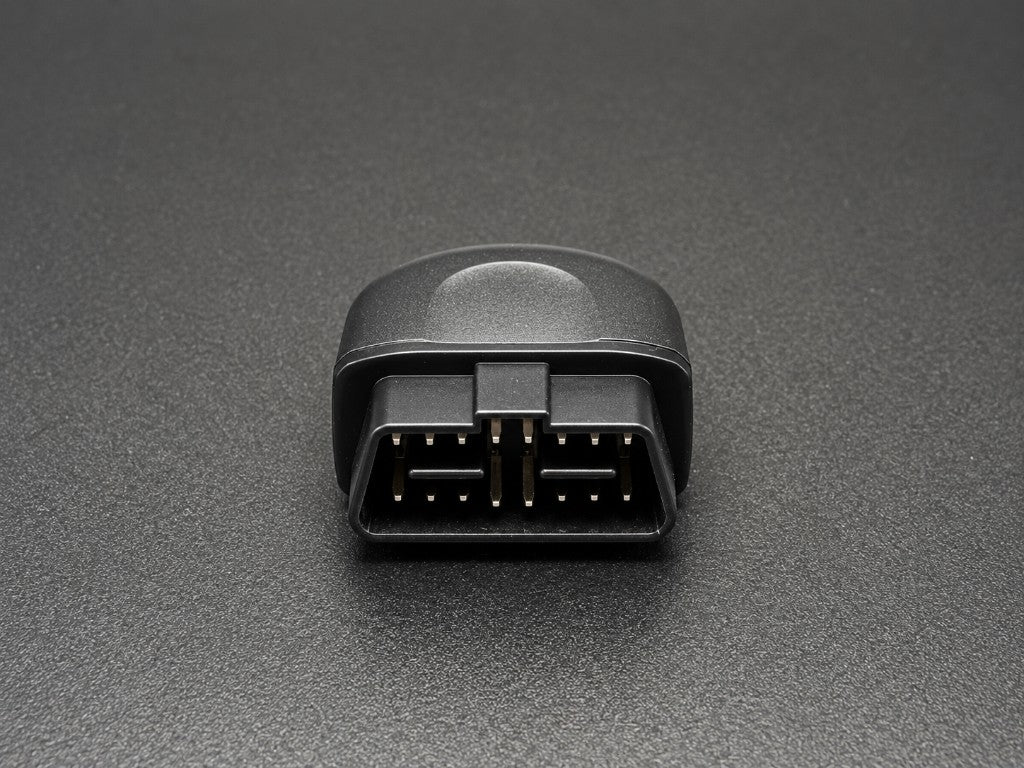
Connect the supplied scanner.
Locate the vehicle’s OBD port and connect the supplied scanner.
Power on the vehicle and display, then follow the supplied pairing instructions for your kit.
Check that the selected vehicle readings appear on the display.
Illustrative scanner photoPhoto placeholder
04 SET UP THE APP
Choose your display settings.
Open Settings → Connect to App on the display.
Open the DAOmotion app, scan the display’s QR code and follow the connection prompts.
Enter your model year and engine details. Choose your gauges, units and display brightness, then save your settings.
Example display after app configurationPhoto placeholder
05 FINISH SETUP
Check your display.
Switch between the clock and your selected vehicle data pages to check the display.
Use the app to sync the time or choose a personal photo if desired.
Complete the checks in the fitting instructions before refitting the trim.
Terrain mode display examplePhoto placeholder
Cookies
We use cookies to run the store (cart, checkout) and remember basic preferences.
See our
Privacy Policy
for details.