
STEERING WHEEL DISPLAYS
Steering Wheel Display
For steering wheels with a 70mm or 74mm bolt pattern.
Speed, RPM, and temps — right in the center of your steering wheel.

Choose your version
Click a card to select Floating or Fixed. Then choose your display theme and vehicle data connection.
Choose your display theme
One display. Six looks. Choose Modern, Roadster or your Pixel color.

Your confirmed theme will be included with your order for firmware setup. Images are software-rendered from firmware artwork and layout, with illustrative readings. Available readings depend on your vehicle and data connection. Grouped screens may show -- for unavailable signals; FS fuel pressure is shown as unavailable.
Your display theme changes its appearance. Vehicle compatibility and available signals depend on your car and data connection, not the theme you choose.
THE DAOMOTION APP
Your Steering Wheel Display. Set up your way.
Choose the readings on your display, start navigation and follow the installation guide — all from the DAOmotion app.
Choose your readings
Select the gauges and units you want in the app. Use the Device / Configuration controls above the phone to view both screens.
Navigation on your display
Start in the app. Open the navigation screen on your display, then connect to see the next turn. Switch back to your gauges when needed.
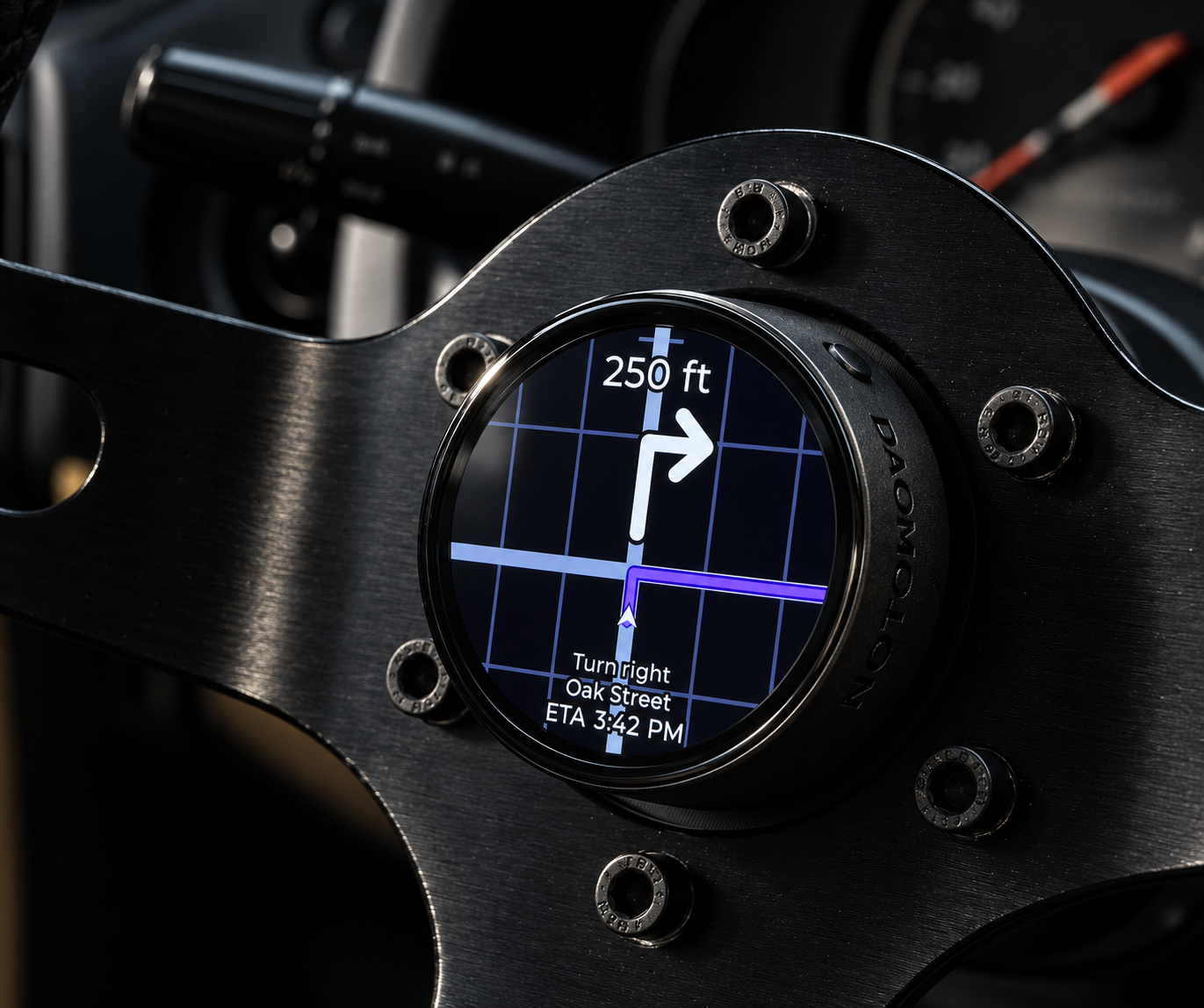
Navigation on your Steering Wheel Display.
App screens and display readings are illustrative. Available features depend on your device and vehicle configuration.
Installation Guide
Explore the hardware installation and App setup before choosing your kit.
Order
Confirm your version, choose how you connect vehicle data, then order.
Specifications
- Fits steering wheels with a 70mm or 74mm bolt pattern
- Vehicle data: OBD2 plug-in or Flexible Sensor (6 analog + 2 pulse inputs)
- Floating battery: about 10 hours per charge
- Fixed power: vehicle 12V or 5V — unlimited runtime
- 1.75″ display, 466 × 466 pixels